SEO Report Template: A Copy-Paste Monthly Format

Artificial Intelligence
October 19, 2026
Google Search Console keeps only 16 months of performance data. Once a month ages out, it's gone, and so is the baseline you needed to prove what changed. If your reports aren't saved somewhere, you're rebuilding history from memory.
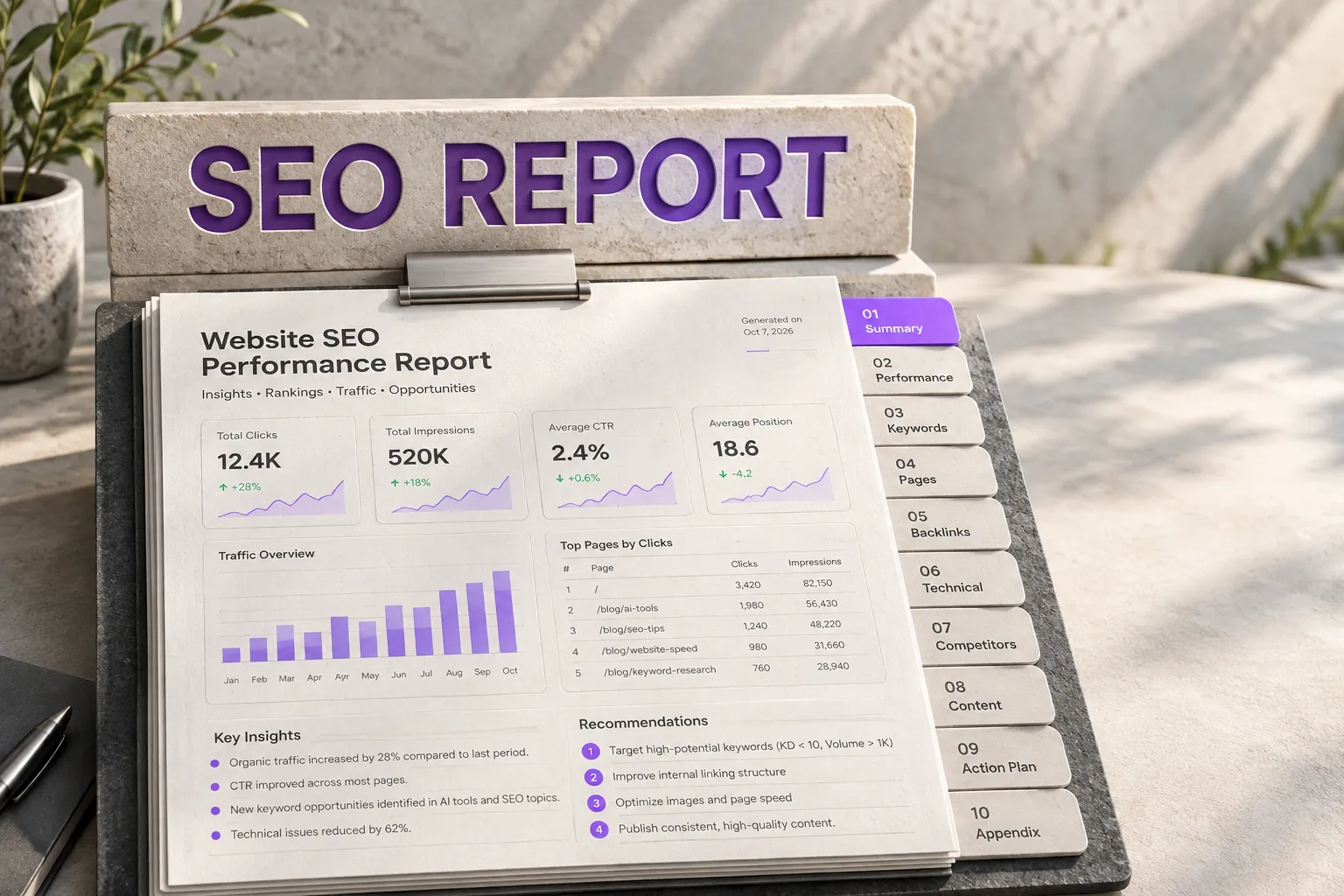
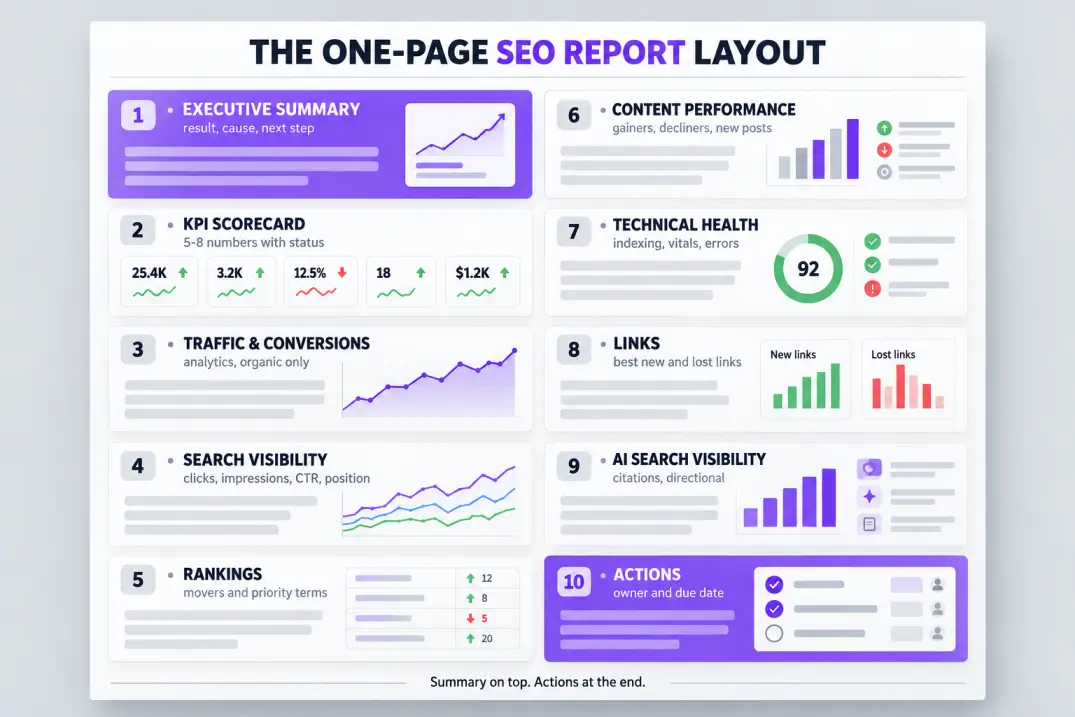
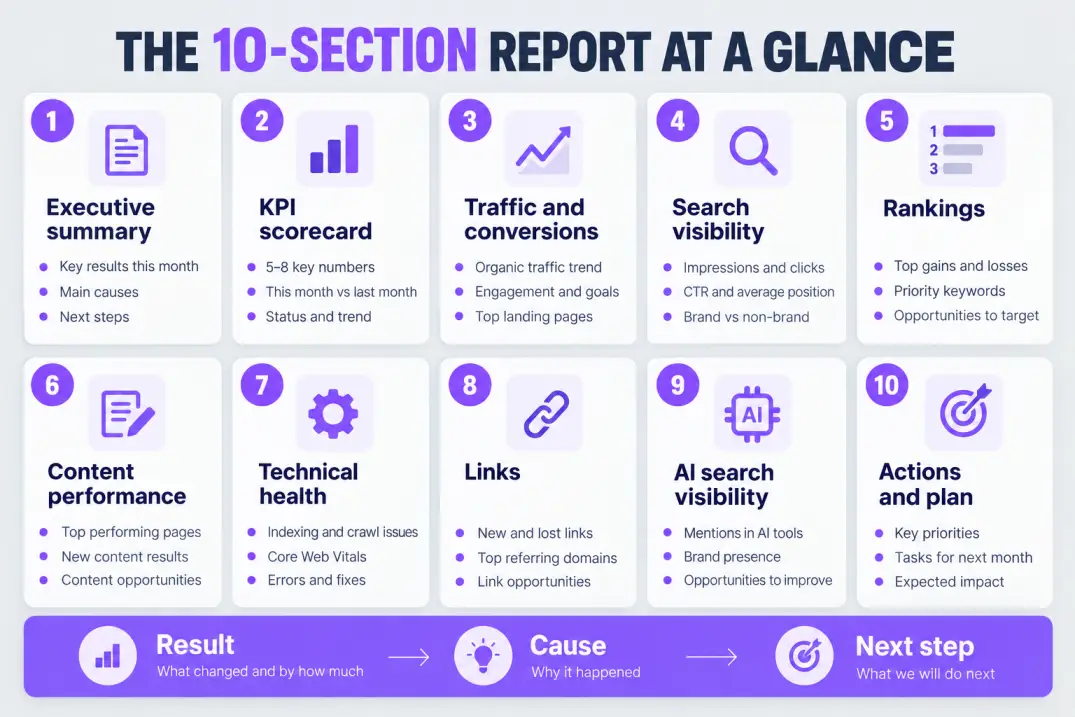
That's the real job of an SEO report template: it turns scattered dashboards into one repeatable document that records what happened, explains why, and says what you'll do next. The format that works has ten sections: an executive summary, a KPI scorecard, organic traffic and conversions, search visibility, rankings, content performance, technical health, links, AI search visibility, and an action plan.
Below you'll find each section explained, a copy-paste template, a sample summary, a guide to reading the numbers, a client version versus an internal version, and a way to automate most of it.
What an SEO Report Template Should Do
A report isn't a data dump. It's an argument: "Here's what changed, here's why we think it changed, and here's what we're doing about it." Everything in the template should serve that argument.
Most reports fail in one of two ways. They're too thin ("traffic is up 8%") to support any decision, or they're so crammed with charts that nobody reads past page two. A good template sits in the middle: a one-page summary on top, supporting detail underneath.
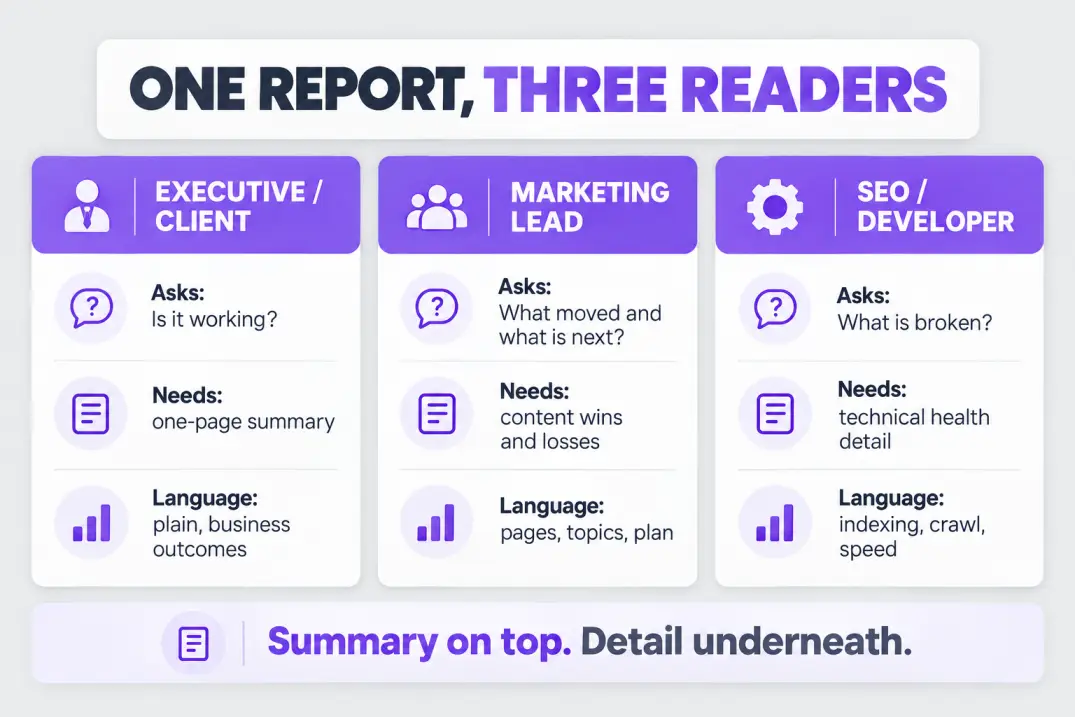
Think of three different readers, because each one wants something different.
| Reader | What they want | How to serve them |
|---|---|---|
| Executive or client | Is it working, and is it worth the spend? | One-page summary, plain language, business outcomes |
| Marketing lead | Which pages and topics moved, and what's next? | Content performance, wins and losses, plan |
| SEO or developer | What's broken and where? | Technical health, indexing, crawl and speed issues |
The so-what: if you try to write one report for all three, you'll bore two of them. Build the template once with a summary layer and a detail layer, and let each reader stop where their question is answered.
Reporting metrics because the tool offers them. Every number in the report should answer a question someone actually asked, or it's decoration.
The 10 Sections of a Monthly SEO Report
Here's the template, section by section. For each one: what goes in it, where the data comes from, and why it earns its place.
1. Executive summary
Three to five sentences at the very top. Say what happened, the biggest reason, and the next action. Write it last, but place it first.
A strong summary reads like this: "Organic clicks rose 14% month over month, driven by three new guides that reached page one. Signups from organic held flat, which points to a weak call to action on those pages. Next month we'll test new calls to action and refresh two declining posts."
Notice it contains a result, a cause and a next step. If your summary has none of those, rewrite it.
2. KPI scorecard
A single table with the five to eight numbers that matter most, this month versus last month and versus the same month last year, each with a status color. Keep it to one screen.
Pick KPIs that tie to the goal. A lead-generation site cares about organic conversions, while a publisher cares about clicks and engaged sessions. Tracking everything is a way of tracking nothing.
3. Organic traffic and conversions
Source: your analytics platform, filtered to organic search. Show sessions, engaged sessions, conversions and conversion rate, plus the top landing pages.
This is where SEO connects to money. Traffic without a conversion view tells half the story, which is also why an honest read of attribution limits belongs next to these numbers.
4. Search visibility
Source: Search Console. Show clicks, impressions, average click-through rate and average position, with a line chart over at least 12 months.
Google's performance report documentation explains exactly how each metric is calculated, which matters when a client asks why position moved. If more answers are showing up directly in results, the shifts described in zero-click search may explain impressions rising while clicks don't.
5. Rankings
Show the keywords that gained or lost the most, plus a tracked set of priority terms. Group them by topic or intent, not as one long list.
Rankings are a diagnostic, not a goal. Report them to explain traffic movement, and flag pages that sit in positions 4-10, where small improvements often pay off most.
6. Content performance
List the top gaining and top declining pages, new posts published this month and how they're performing, and any refreshes shipped. Add one line on what you learned.
Decaying pages deserve their own mention, because the fix is usually a refresh, as explained in why content refresh strategies fail.
7. Technical health
Show indexing status, Core Web Vitals, crawl errors, and any new issues found or fixed. Keep it short unless something broke.
The three Core Web Vitals are Largest Contentful Paint, Interaction to Next Paint and Cumulative Layout Shift, and Google's web.dev guide to Core Web Vitals lists the "good" thresholds: LCP within 2.5 seconds, INP at or under 200 milliseconds and CLS at or under 0.1.
8. Links and mentions
Report new and lost referring domains, notable placements, and any risky patterns. Quality beats count, so name the best two or three links rather than quoting a total.
9. AI search visibility
Add a short section on whether your brand is cited or mentioned in AI answers for your priority topics. Methods are still maturing, so label it as directional. The measurement approaches are laid out in AI search visibility metrics and KPIs.
10. Actions and next-month plan
End with three to five actions, each with an owner and a due date, plus the biggest risk you see. A report without next steps is a history lesson.
The so-what: sections 1 and 10 are the only ones many executives will read. Put your best thinking there.
What the KPI Scorecard Looks Like
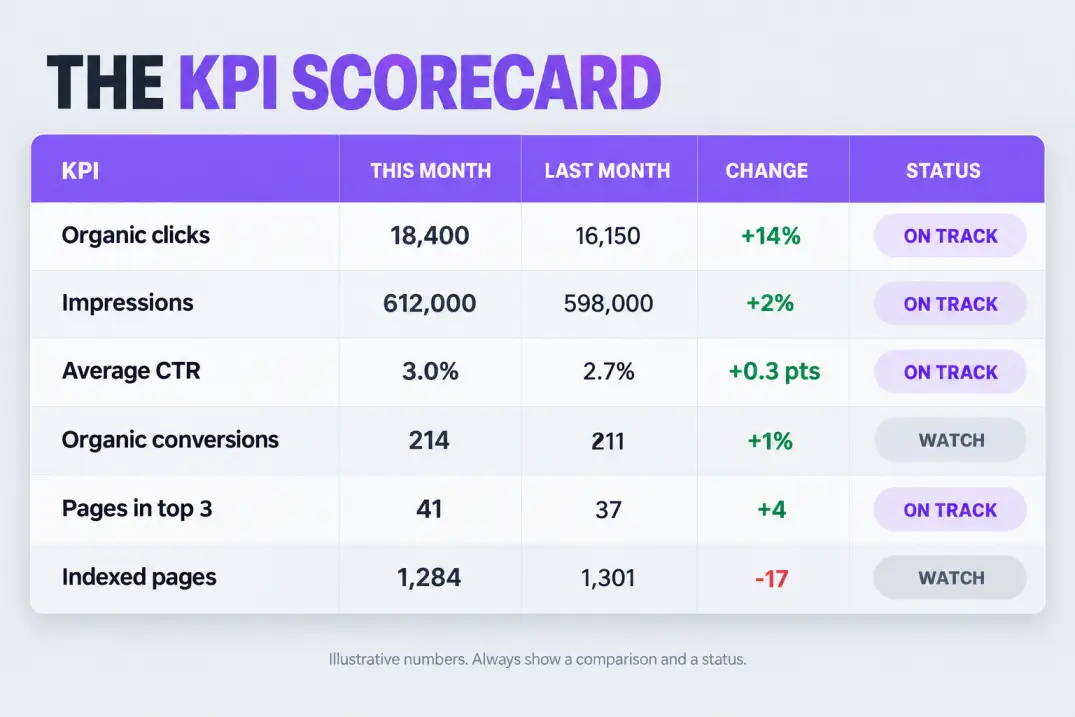
The scorecard is the part people screenshot and forward, so it's worth getting right. Here's an illustrative example. The numbers are made up to show the format.
| KPI | This month | Last month | Change | Status |
|---|---|---|---|---|
| Organic clicks | 18,400 | 16,150 | +14% | On track |
| Impressions | 612,000 | 598,000 | +2% | On track |
| Average CTR | 3.0% | 2.7% | +0.3 pts | On track |
| Organic conversions | 214 | 211 | +1% | Watch |
| Pages in top 3 | 41 | 37 | +4 | On track |
| Indexed pages | 1,284 | 1,301 | -17 | Watch |
Two habits make this table useful. First, always show a comparison, because a number alone is meaningless. Second, add a status that reflects your target, not just the direction. A 1% rise in conversions is "watch" if the plan called for 10%.
Compare against the same month last year as well as last month. Seasonality can make a good month look bad, or a bad month look good, and year-over-year is the quickest way to tell.
Setting Targets So Status Colors Mean Something
A status color is only honest if it's measured against a target. Without one, "on track" is a feeling.
Set targets from a baseline, not from hope. Look at the last 6 to 12 months, work out the typical monthly growth, and then decide whether you're aiming to match, beat or recover that rate. Link the target to what you're doing: a month with three new guides and a refresh plan can reasonably aim higher than a month with no publishing.
Use ranges instead of single numbers for volatile metrics. "Organic clicks between +5% and +12%" is easier to defend than "+10%", and it stops you from celebrating a lucky spike or panicking over normal noise.
If you need a more rigorous way to project outcomes, modeling traffic and pipeline is covered in SEO forecasting and ROI modeling.
Review targets quarterly. If every metric is green for six months straight, your targets are too soft, and if every metric is red, they were unrealistic or the strategy needs rethinking.
Where Each Metric Comes From
Knowing the source of each number matters because tools disagree. Search Console counts impressions and clicks on Google's side, while your analytics platform counts sessions on your side. They will never match exactly, and a good report explains that once instead of apologizing for it each month.
| Section | Primary source | Notes |
|---|---|---|
| Clicks, impressions, CTR, position | Search Console | Google-only, 16 months of history |
| Sessions, conversions, revenue | Analytics (organic channel) | Filter to organic search |
| Rankings | Rank tracker or keyword tool | Define the tracked set once |
| Technical health | Search Console, crawler, Core Web Vitals reports | Report changes, not full lists |
| Links | Backlink tool | Quality over count |
| AI visibility | Manual prompts or a monitoring tool | Label as directional |
The so-what: record the definition of every metric in an appendix. When a number changes because of a settings change, not a real change, the appendix is how you prove it.
The Copy-Paste Monthly Report
Paste this into a doc, spreadsheet or your reporting tool, and fill it in each month.
MONTHLY SEO REPORT
Client / Site: [name]      Period: [month, year]      Prepared by: [name]

1. EXECUTIVE SUMMARY (3-5 sentences)
   Result:  [what happened]
   Cause:   [the main reason]
   Next:    [the single most important action]

2. KPI SCORECARD
   Metric | This month | Last month | Last year | Target | Status
   Organic clicks
   Impressions
   Avg CTR
   Organic conversions
   Pages in top 3 / top 10
   Indexed pages

3. ORGANIC TRAFFIC & CONVERSIONS
   Sessions / engaged sessions / conversions / conversion rate
   Top 5 landing pages and what they did

4. SEARCH VISIBILITY (Search Console)
   12-month trend: clicks, impressions, CTR, position
   Top queries gained / lost

5. RANKINGS
   Biggest gainers (5) | Biggest losers (5) | Priority terms in positions 4-10

6. CONTENT PERFORMANCE
   New posts: [title, publish date, early performance]
   Refreshes shipped: [list]
   Top declining pages: [list + hypothesis]

7. TECHNICAL HEALTH
   Indexing | Core Web Vitals (LCP, INP, CLS) | New issues | Fixed issues

8. LINKS
   New referring domains (best 3) | Lost links | Risks

9. AI SEARCH VISIBILITY (directional)
   Priority prompts checked | Brand cited? | Competitors cited

10. ACTIONS & PLAN
   Action | Owner | Due date | Expected impact
   Biggest risk this month:

APPENDIX: metric definitions, tracked keyword set, changes to tracking
Save a blank copy of this template as the starting point for every report. Rebuilding the structure each month is where hours quietly disappear, and where sections get dropped.
A Sample Executive Summary, Written Out
Here's how the top of a report reads when all three parts are present. The figures are illustrative.
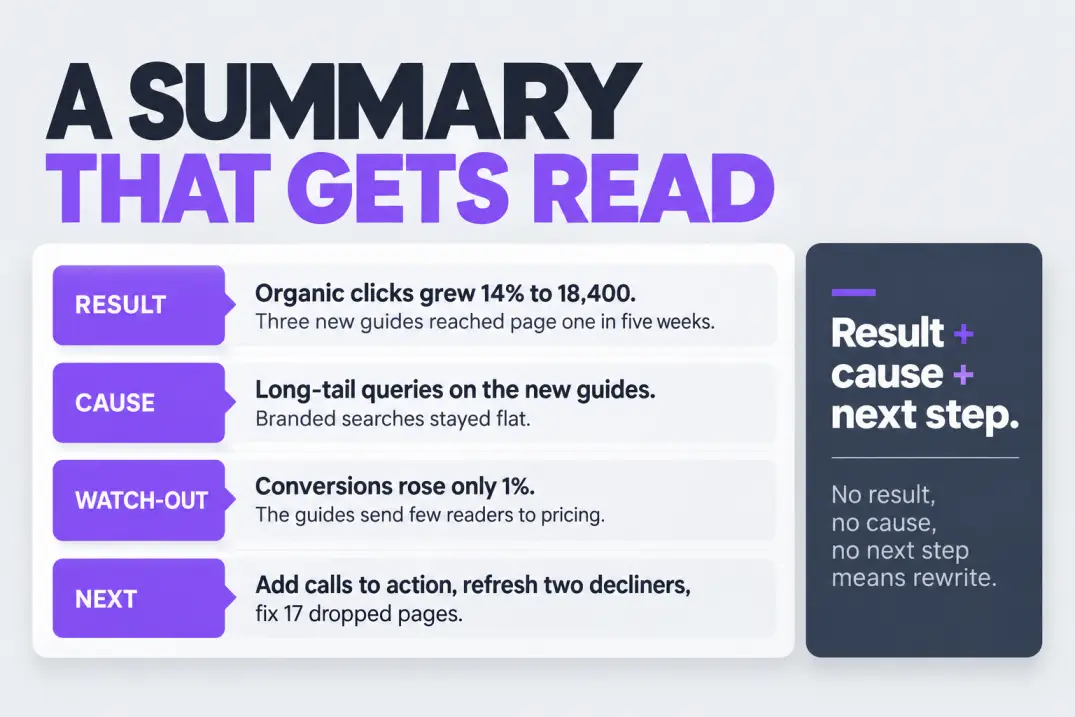
Result: Organic clicks grew 14% to 18,400, and three new guides reached page one within five weeks.
Cause: Growth came mostly from long-tail queries on the new guides, while branded searches stayed flat.
Watch-out: Organic conversions rose only 1%. The new guides attract readers but send few to the pricing page.
Next: Add contextual calls to action to the three guides, refresh the two pages that lost ground, and fix the 17 pages that dropped out of the index.
It's short, specific and decision-ready. A reader who stops here still knows what's going on and what you'll do.
Now compare it with the version many reports open with: "Traffic increased this month. Rankings improved for several keywords. Technical health is good." Every sentence is true and none of them helps anyone decide anything.
Write the Summary Last, Then Cut It in Half
Draft the full report first, then write the summary from your own conclusions, not from the charts. Then cut it by a third. If you can't state the cause in a sentence, you haven't finished the analysis yet.
A Quick Walkthrough: From Raw Data to Summary
Here's the process in five steps, using the illustrative numbers above.
- Pull the headline numbers. Clicks are up 14%, conversions up 1%. The gap between those two is the first thing to explain.
- Segment the traffic. Split by landing page group. Most of the new clicks land on three recent guides.
- Check intent. The guides answer informational queries, so readers learn and leave rather than evaluate pricing.
- Form a hypothesis. The guides lack a clear next step toward the product.
- Propose a test. Add contextual calls to action, then compare conversion rate on those pages next month.
Notice that each step narrows the question. You start with "why didn't conversions rise?" and end with a concrete test. That chain of reasoning is what the report is really delivering, and the charts are just the evidence.
Adapting the Template by Business Type
The ten sections stay the same, but the emphasis shifts with the business model.
| Business type | Emphasize | Add or swap |
|---|---|---|
| SaaS | Signups, trials, demo requests from organic | Page-to-signup paths, comparison and use-case pages |
| E-commerce | Revenue, product and category page visibility | Product indexing, feeds, image visibility, seasonal trends |
| Local business | Calls, direction requests, local visibility | Profile performance, reviews, location pages |
| Publisher or blog | Clicks, engaged sessions, newsletter signups | Top stories, freshness, feed and discovery traffic |
| Agency or white-label | Client outcomes and consistency | A branded cover, a shared definitions appendix |
The so-what: a report built for the wrong business model feels generic. A SaaS founder wants to see trials, not rankings, and a store owner wants to see revenue by category.
If you serve several clients, standardize everything except the scorecard. Same layout, same section order and same appendix means your team can produce reports faster and clients can compare quarter to quarter without relearning the format.
How to Read the Numbers Before You Report Them
The hardest part of a report isn't collecting data. It's interpreting it. Here are the patterns that come up most, and what each usually means.
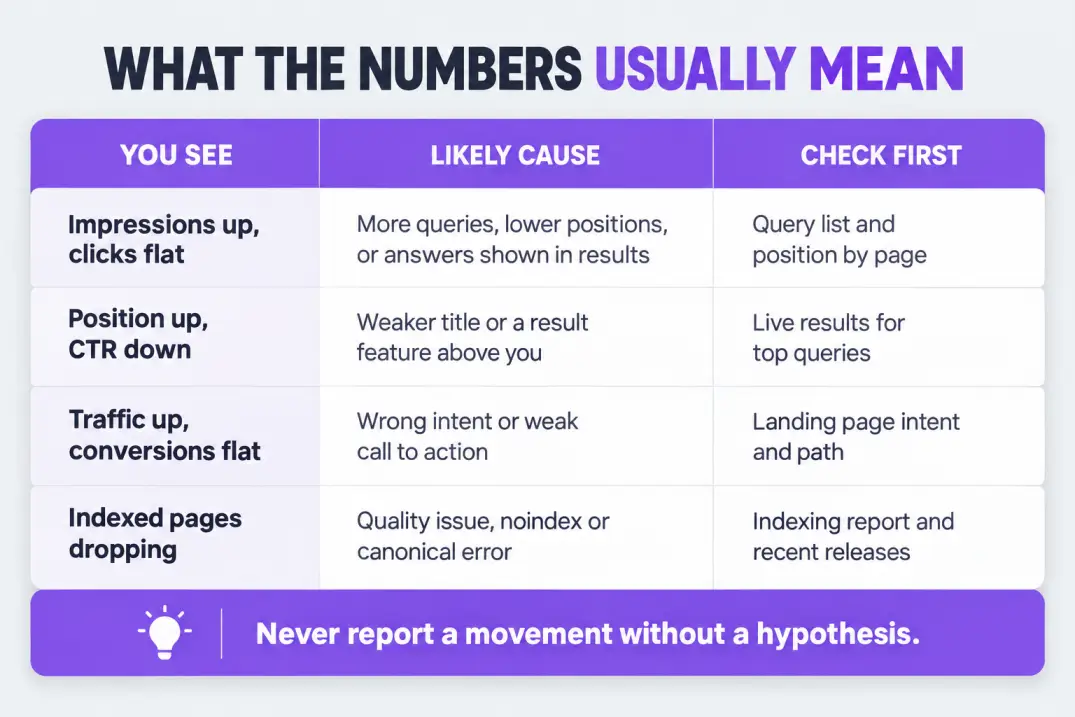
| What you see | Likely explanation | What to check |
|---|---|---|
| Impressions up, clicks flat | Ranking for more queries but lower on the page, or answers appearing directly in results | Query list, position by page, result features |
| Clicks up, impressions flat | Better titles and snippets earning a higher click-through rate | Title and description changes |
| Position improved, CTR dropped | A new result feature is pushing links down, or the title is weaker | Live results for the top queries |
| Traffic up, conversions flat | Attracting the wrong intent, or weak calls to action | Landing page intent and conversion path |
| Traffic down on one section | Seasonality, a competitor move, content decay or an indexing issue | Year-over-year trend, indexing report |
| Indexed pages dropping | Quality issues, accidental noindex or canonical problems | Indexing report, recent site changes |
| Branded searches rising | Awareness effects from other channels | Whether SEO is getting credit for brand demand |
The pattern behind the table is simple: never report a movement without a hypothesis. "Clicks fell 9%" invites panic. "Clicks fell 9%, almost entirely on one product category that dropped out of the index after a template change, now fixed" invites trust.
If your tracked keyword set is not tied to a wider structure, the movement is hard to explain. A proper website audit gives you the baseline to compare against.
Leading vs Lagging Indicators
Not every metric moves on the same timeline, and mixing them up leads to false alarms. Some numbers tell you what's about to happen. Others tell you what already did.
| Type | Examples | How quickly it moves | How to use it |
|---|---|---|---|
| Leading | Impressions, indexed pages, pages in positions 4-10, new posts published | Days to weeks | Early signal that traffic may follow |
| Coincident | Clicks, sessions, average position | Weeks | The main proof the program is working |
| Lagging | Conversions, pipeline, revenue | Weeks to months | The business outcome, judged over a longer window |
The so-what: if impressions rise this month, don't promise a revenue jump next month. Say impressions are a leading signal, name the pages involved, and set an expectation for when clicks and conversions should follow.
This also protects you from overreacting. One slow month on a lagging metric after a strong month on a leading one is often just timing.
What to Do When the Data Is Bad
Every reporting cycle has a bad data day eventually. Plan for it, because the way you handle it affects trust more than the problem itself.
A tracking tag broke. If sessions or conversions drop to zero overnight, check tracking before you check rankings. Compare Search Console clicks with analytics sessions: if clicks held steady while sessions collapsed, the problem is measurement, not SEO. Report it plainly, estimate the gap from Search Console, and note the affected dates in the appendix.
The month is incomplete. If you report before the month ends, label the comparison as partial and compare equivalent date ranges, not a partial month against a full one.
Data arrives late. Search Console data can lag by a couple of days, so reporting on the last day of the month can understate the final days. Build in a small buffer before you pull numbers.
Definitions changed. A new analytics property, a new consent banner or a changed filter can shift a trend without any change in reality. Annotate the chart and explain it once.
The rule is the same each time: state what's wrong, state what you know anyway, and state when it will be fixed. Clients forgive messy data. They don't forgive surprises.
Write the Report in the Order People Think
People don't read a report in the order you built it. They ask four questions in sequence: Is it working? Why? What's wrong? What next? Structure the report to answer them in that order.
A few language habits help. Lead with the verb: "Clicks grew 14%" lands harder than "There was an increase in clicks." Replace jargon with the outcome it produces. Prefer "pages that dropped out of Google's index" over "deindexation events." And cut every hedge you don't need, because "may possibly suggest" in every sentence reads like you don't know what you're doing.
Hedge where the uncertainty is real, and say so directly: "This is the likely cause, and we'll confirm it by next month's data." Precision about confidence is a sign of competence, not weakness.
Client Version vs Internal Version
The same data tells a different story depending on who's reading. Keep one master report and trim it into two views.
| Element | Client or executive version | Internal team version |
|---|---|---|
| Length | 1-3 pages | As long as needed |
| Summary | Business outcomes first | Diagnostics first |
| Rankings | Priority terms only | Full movers list |
| Technical detail | Short status line | Issue-level lists |
| Tone | Plain language, no jargon | Shorthand is fine |
| Next steps | Decisions you need from them | Tickets and owners |
Three rules help with the client version. Define any term you can't avoid. Lead with outcomes such as leads, revenue and visibility. And be honest about misses: a client who sees a problem named and a plan attached trusts the report more than one who finds the problem later.
If you resell or white-label SEO, the report is often the only deliverable the end client sees, so consistency matters. The delivery side of that model is covered in white label SEO services compared.
Choosing the Right Cadence
How often you report depends on how fast the data moves and how quickly decisions get made.
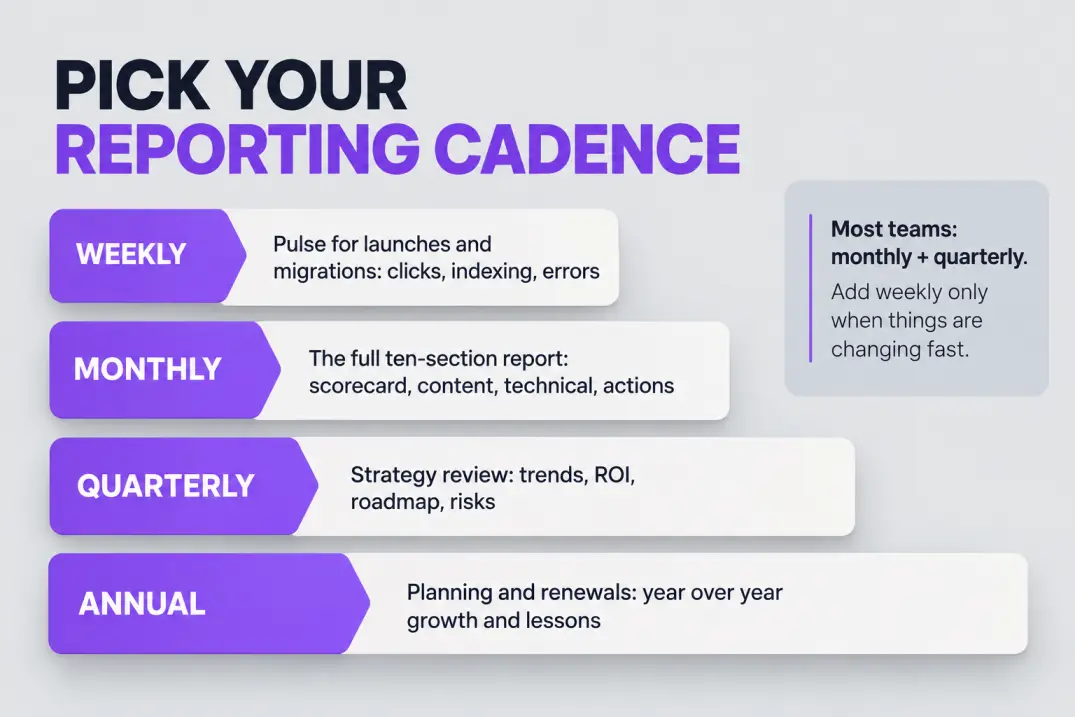
| Cadence | Best for | What to include |
|---|---|---|
| Weekly pulse | Launches, migrations, volatile periods | Clicks, indexing, errors, one-line note |
| Monthly report | Standard SEO programs | The full ten-section template |
| Quarterly review | Strategy and budget decisions | Trends, ROI, roadmap, risks |
| Annual summary | Planning and renewals | Year-over-year growth and lessons |
Most teams do monthly reports plus a quarterly review. Weekly updates are worth adding only when something is changing fast, because they tend to create noise if nothing is.
Presenting the Report: The 15-Minute Review
A report nobody discusses is a report nobody acts on. If you present it live, keep the meeting short and structured.
| Minutes | Agenda item | Goal |
|---|---|---|
| 0-3 | Read the summary aloud | Align on the headline |
| 3-7 | Walk through the scorecard | Confirm what moved |
| 7-11 | Discuss the one or two biggest drivers | Agree on the explanation |
| 11-15 | Review actions and owners | Leave with decisions |
Send the report at least a day ahead so people arrive having read the summary. Spend the meeting on questions, not on narrating charts they can read themselves.
Expect one question every time: "What should we do differently?" Answer it in the report before it's asked. If the plan section already says what changes next month and why, the meeting becomes a decision, not a debrief.
Finally, keep a short log of past recommendations and what happened. Reviewing it each quarter shows which kinds of changes actually move your numbers, and it makes your next hypothesis sharper.
How to Automate Your SEO Reports
Building the same report by hand every month is the most automatable work in SEO. The data pulls are mechanical. The thinking isn't, so the goal is to automate the first and protect the second.
What to automate
Anything that is a number pulled from a tool: clicks, impressions, CTR, position, sessions, conversions, indexed pages and rankings for a tracked set. These should refresh themselves and arrive on a schedule.
What to keep human
The executive summary, the hypotheses and the action plan. Those are the parts clients pay for. An automated report with no analysis is a dashboard with a delivery schedule.
A practical automation stack
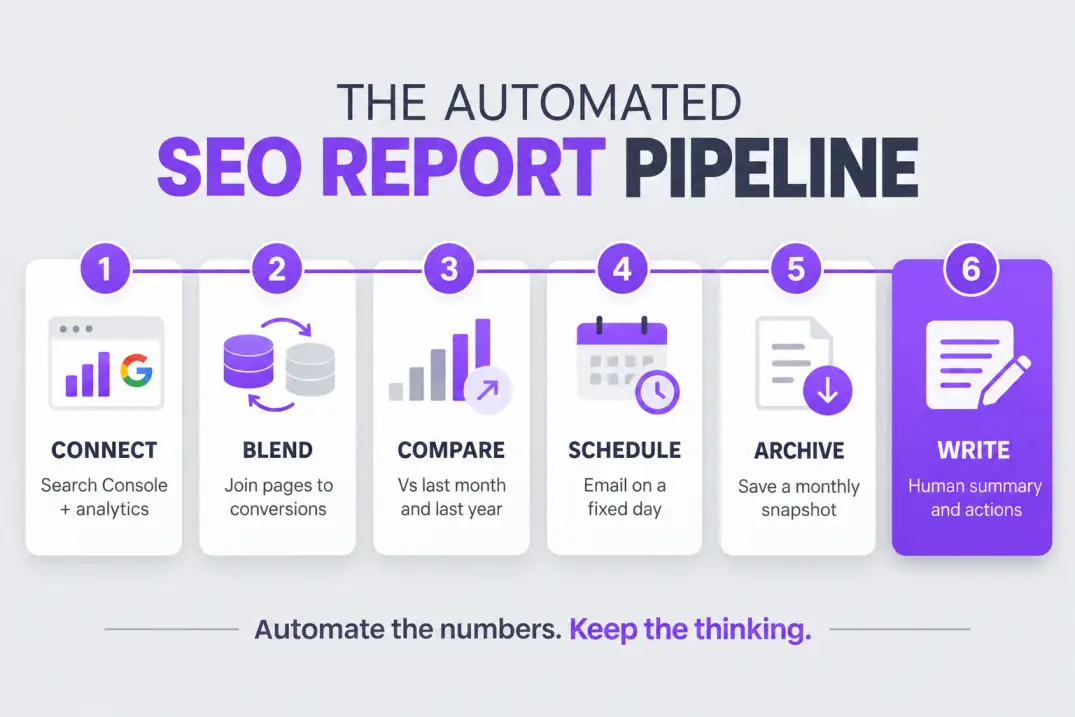
- Connect your sources. A free reporting tool like Looker Studio can connect to Search Console and your analytics platform.
- Blend the data. Join Search Console landing pages with analytics conversions so you can see which pages drive both traffic and outcomes.
- Use calculated fields. For example, compute click-through rate yourself with
SUM(Clicks) / SUM(Impressions)so the blended totals stay accurate. - Add date comparisons. Show this month versus last month and versus the same month last year on every chart.
- Schedule delivery. Email a PDF or share a live link on a fixed day each month.
- Archive a snapshot. Save a copy each month, since Search Console only keeps 16 months and dashboards change over time.
- Write the summary by hand. Leave a text box at the top for the executive summary and the actions.
If your volume is high or your data is large, Search Console can also export data in bulk to BigQuery, which lets you keep history beyond 16 months and query it with SQL.
Teams that publish on autopilot, as with Qoreta, still need this layer, because output speed only matters if a report shows what that output earned.
Search Console's own limits also deserve a line in your appendix: it anonymizes some rare queries, so totals by query won't always match totals by page.
Automating the report and the interpretation. If an automated summary is sent unchecked, a bad data day becomes a client email with a confident wrong explanation. Review before it ships.
Common SEO Reporting Mistakes
- Reporting rankings as the outcome. Rankings explain traffic. Leads, revenue and visibility are outcomes.
- No comparison. A number without last month and last year is trivia.
- Changing definitions silently. If you change the tracked keyword set or a filter, note it, or the trend line lies.
- Burying the bad news. A problem found by the client instead of the report destroys trust faster than the problem itself.
- Reporting vanity totals. Total keywords ranked and total backlinks make a chart look healthy while saying nothing about value.
- No owner on the actions. An action without a name and a date doesn't happen.
- Copying last month's summary. Readers notice, and then they stop reading.
Fixing Them: Before and After
| Mistake | Fix |
|---|---|
| Rankings as the headline | Lead with conversions or leads, then explain with rankings |
| Missing comparisons | Add last month, last year and target to every metric |
| Silent definition changes | Add an appendix with metric definitions and changes |
| Buried bad news | Put risks in the summary with a plan |
| Vanity totals | Replace with the best two or three examples |
| Ownerless actions | Add owner, due date and expected impact |
Report Quality Checklist
Run this before you send any report.
REPORT QUALITY CHECKLIST

[ ] Summary has a result, a cause and a next step
[ ] Every metric has a comparison (last month and last year)
[ ] Status colors reflect the target, not just direction
[ ] Every movement has a hypothesis
[ ] Bad news is in the summary, not buried
[ ] Technical section reports changes, not raw lists
[ ] Actions have owners and due dates
[ ] Definitions and tracking changes are in the appendix
[ ] A snapshot is archived (Search Console keeps 16 months)
[ ] A human read the whole thing before it went out
Final Thoughts
A good SEO report template makes reporting boring in the best way: the structure never changes, so all your effort goes into the one thing a template can't do, which is figuring out why the numbers moved.
Start with the ten sections. Put a real summary on top and real actions at the bottom. Build the data pulls once, schedule them, and archive a snapshot every month. Then spend your saved hours on the analysis, because that's what clients and executives actually remember.
If you do nothing else this month, copy the template, fill in the summary section for your last 30 days and see whether you can state a result, a cause and a next step. If you can't, you've found the work worth doing.
One last habit makes the whole system compound: keep every report you send. After six months you'll have a record of what you predicted, what actually happened and which actions paid off. That archive turns reporting from a monthly chore into a learning loop, and it's the clearest evidence of value you can show anyone who questions the budget.
- A report is an argument: what changed, why, and what happens next.
- Use ten sections, with the summary first and the action plan last.
- Always compare against last month and last year, and give every movement a hypothesis.
- Automate the numbers, but keep the summary and the actions human.
- Archive a snapshot monthly, since Search Console keeps only 16 months of data.
Artificial Intelligence
Intelligence without limits.
We believe great content deserves honest authorship—even when it's AI.
Frequently Asked Questions
At minimum: an executive summary, a KPI scorecard, organic traffic and conversions, search visibility from Search Console, rankings, content performance, technical health, links and an action plan. Add an AI search visibility section if your topics are showing up in AI answers.
One to three pages for clients or executives, with a longer internal version if the team needs it. The summary and action plan do most of the work, so keep everything else supporting.
Pick five to eight tied to the business goal, usually organic clicks, impressions, CTR, organic conversions, pages ranking in the top three or ten and indexed pages. Add revenue or lead value if you can attribute it.
Start from the ten-section format, shorten the technical sections, lead with outcomes like leads and revenue, define unavoidable jargon, and end with decisions you need from the client.
Monthly is the norm for most programs, with a quarterly strategy review. Add weekly pulses only during launches, migrations or volatile periods, since weekly reporting on stable data creates noise.
You can automate the data pulls, comparisons and delivery, but not the interpretation. Keep the executive summary and action plan human, because an unchecked automated explanation can confidently state a wrong cause.
A reporting tool such as Looker Studio connected to Search Console and your analytics platform covers most needs for free. Rank trackers and SEO suites also include report builders, and BigQuery export helps when you need history beyond 16 months.
They measure different things. Search Console counts clicks and impressions on Google's side, while analytics counts sessions on your site, with different filtering and attribution. Explain this once in the appendix instead of reconciling every month.
State the size of the drop, isolate where it happened (section, page type or query group), and give a hypothesis with evidence, such as an indexing issue, seasonality or a competitor change. Always attach a plan.
Include them, but as diagnostic evidence for traffic changes rather than as the headline. Focus on movers and priority terms in positions four to ten, not a long list of every tracked keyword.
Separate the two stories: traffic growth, which SEO controls directly, and conversion rate, which depends on page intent and calls to action. Report both honestly and propose tests for the conversion path.
Use a three-part layout: a short summary, a scorecard table with comparisons, and a list of actions. Add the other sections as you gain data and confidence.
Track a small set of priority prompts, note whether your brand is cited or mentioned and which competitors appear, and label the section as directional because measurement methods are still evolving.
Store the blank template, a metric definitions appendix and the tracked keyword set in a shared location. When anything about tracking changes, record it so trends remain comparable.
By hand, often several hours. With a template and automated data pulls, the numbers take minutes, and most of your time goes into the summary and next steps. A reusable template is the biggest single time saver.
Use both. A live dashboard suits people who explore the data, while a dated PDF gives you an archived record and a document people will actually read. Many teams email the PDF and link to the dashboard.